A hotel photograph tends to show the desktop from above and at an angle. That is useful for spotting a lamp, a kettle or a mirror, but less useful for judging where your knees go. Treat the photograph as an inventory of visible objects, not a promise of working comfort. A console table can look convincing until a deep drawer forces you to sit too far away.
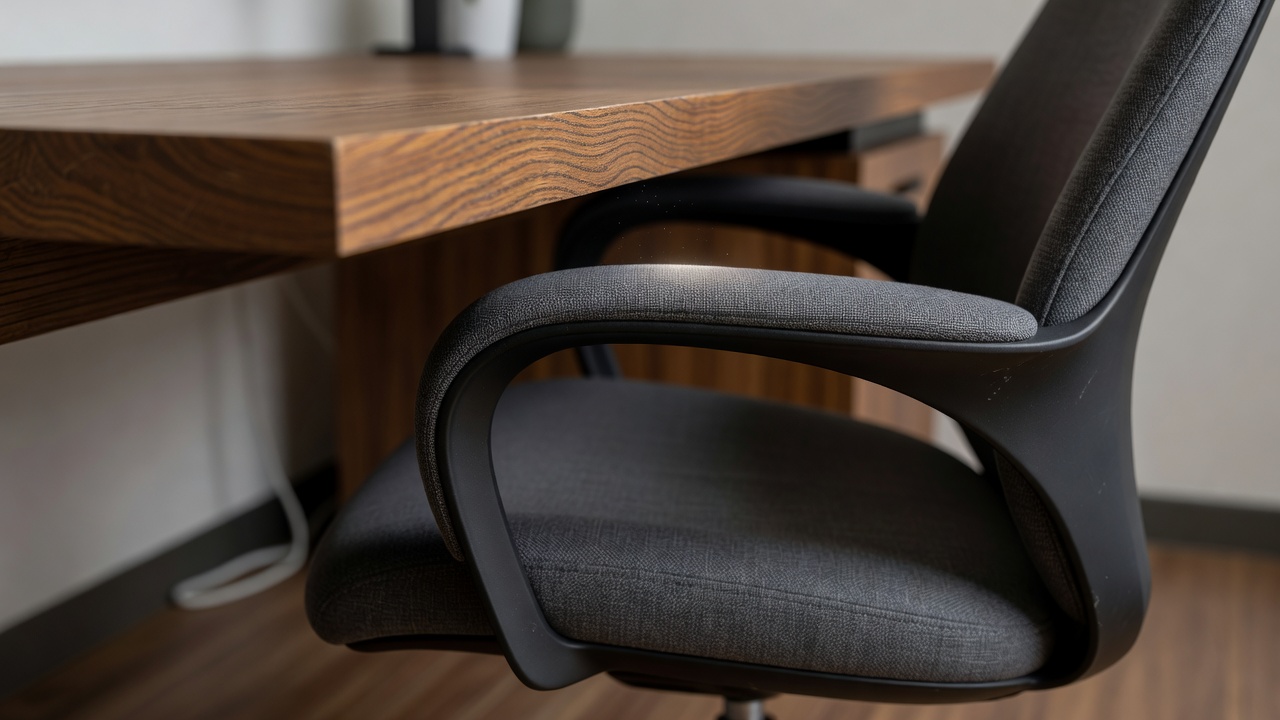
Start with the seat, not the screen
Look for a chair that lets you approach the working edge while keeping your feet supported. Height adjustment can help, but its presence alone proves little: the range may not suit you, the mechanism may not work, and the seat may still be too deep. Fixed dining chairs can be usable for a short session and unsuitable for a full day. Describe the duration and type of work when asking the property.
Armrests deserve particular attention. If they strike the underside of the desk, you may have to reach forwards to type. A decorative apron can create the same problem even when the tabletop appears spacious. Ask for a side-on picture with the chair pushed into its normal working position. This often answers more than a wide room photograph.
Follow the clearance beneath the surface
Check for drawer units, crossbars, waste bins and mini-fridges in the leg space. A desk shared with hospitality equipment may leave room for a laptop but not for a supported sitting position. Ask whether movable objects can be relocated safely, rather than assuming the kettle tray or coffee machine can be disconnected.
If measurements matter to your equipment, request the clear usable width and depth, not the furniture’s outside dimensions. Explain what must fit: a laptop and mouse, an external keyboard, a portable monitor or paper documents. Do not estimate dimensions from a wide-angle photograph; perspective can make both depth and clearance look more generous.
| Evidence | Reasonable conclusion | Unanswered question |
|---|---|---|
| Chair has a height lever | Adjustment appears possible | Does it operate and suit your position? |
| Empty tabletop | A clear surface is pictured | Is the same layout supplied in your category? |
| Desk against a wall | Screen placement may be constrained | Is there room for the required viewing distance? |
Separate typing height from viewing height
A laptop joins keyboard and screen into one object. Raising it may improve viewing while making the built-in keyboard awkward to reach. An external keyboard and mouse can separate those demands, provided the desk has room. A stand is therefore a conditional solution, not an automatic improvement.
The UK Health and Safety Executive’s display-screen guidance and the US Occupational Safety and Health Administration’s Computer Workstations eTool both emphasise arranging equipment around the user and the task. They are useful prompts, not evidence that any hotel complies with a workplace standard. Your employer may also have requirements for remote work that go beyond this guide.
Try a real task on arrival
Before unpacking fully, sit down and perform a small sample of your actual work. Type a paragraph, use the pointing device, read a document and look at the screen in your normal posture. Check whether the chair stays stable and whether its controls work. Notice pressure at the desk edge, unsupported feet and any repeated reaching.
Change position and take movement breaks rather than trying to discover a single perfect posture for the entire day. If the room cannot support your work, ask early about another chair, a different room layout or a suitable shared workspace. Availability and charges should be confirmed rather than assumed.
Copy-ready enquiry: desk and chair
“I will work in the room for several hours. For this category, could you send a current side-on desk photo and confirm the usable surface dimensions, leg clearance and chair adjustments? Please distinguish a confirmed feature from a room request.”
Keep a short evidence note
Record what was shown, what the property confirmed and what you checked yourself. Include the room category and the date of the reply. A previous guest’s useful setup may belong to a different layout, and a property can replace furniture. An explicit uncertainty is more useful than a confident assumption.
Further reading
- Health and Safety Executive: working safely with display screen equipment
- OSHA: Computer Workstations eTool
- NIOSH: ergonomics and musculoskeletal health
These sources inform questions about equipment arrangement. They do not certify hotel furniture or replace an individual workplace assessment.